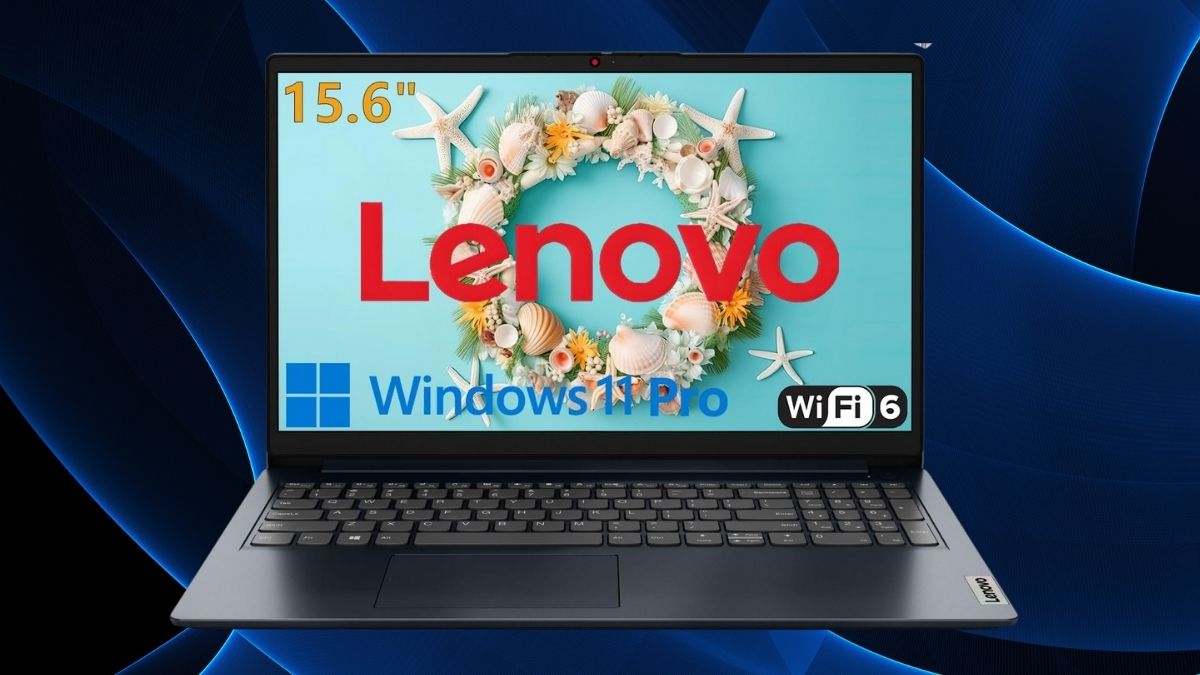
In a sea of budget laptops that typically cut corners on memory and storage, Lenovo takes a different approach with this 15.6″ model. It pairs a modest Intel Celeron N4500 processor with an unusually generous 32GB of RAM and a fast 1TB NVMe SSD.
At first glance, that spec sheet may seem unbalanced—but it’s also what makes this machine stand out in the budget category.
So, is this a clever cost-saving configuration or a mismatch of components? Let’s dig into where it excels, where it compromises, and who it’s really for.
Hardware Specifications: Breaking Down What You’re Getting
Before diving into usability, let’s review the core components and what they mean for day-to-day performance.
Intel Celeron N4500: Entry-Level Processing
- Dual-core, up to 2.8 GHz
- Suitable for web browsing, office work, and light media use
- Not ideal for video editing, gaming, or coding-heavy workloads
RAM Configuration: 32GB of Multitasking Power
- Unusually large for this price point
- Enables seamless multitasking with dozens of browser tabs or multiple productivity apps
- Non-upgradable, but most users won’t need more than 32GB anyway
Storage Solution: Fast and Spacious
- 1TB PCIe NVMe SSD delivers snappy performance
- Faster boot times, quick file transfers, and room for large local libraries
- Far more storage than most similarly priced laptops
Display and Visual Experience: Functional, Not Fancy
The laptop offers a Full HD resolution on a 15.6″ display, which is fine for most uses—but the TN panel introduces some noticeable trade-offs.
Display Quality
- 1920×1080 resolution is crisp for general tasks
- Anti-glare surface helps in bright environments
- TN panel limits viewing angles and color accuracy
Graphics Capabilities
- Integrated Intel UHD Graphics suitable for HD video, light gaming, and external monitor support
- Best paired with streaming or cloud gaming, not local AAA titles
Connectivity and Port Selection: Surprisingly Well-Equipped
Despite its entry-level price, Lenovo includes a broad set of ports that many budget models skip.
- USB-C (data only), USB 3.2 Gen 1, and USB 2.0
- HDMI 1.4b for external displays
- SD card reader for easy media transfers
- Wi-Fi 6 and Bluetooth 5.2 ensure modern wireless speeds
- Includes USB-C to Ethernet adapter—a nice bonus for wired setups
Real-World Performance: Where It Shines and Where It Doesn’t
Now that you know what’s under the hood, here’s how it actually performs during typical usage scenarios.
Everyday Productivity
- Runs Microsoft Office and Google Workspace apps smoothly
- No lag when editing documents, working with spreadsheets, or browsing the web
Multitasking
- Standout performance here—32GB RAM allows running 30+ browser tabs, streaming, chat, and work apps all at once
- Particularly good for students and professionals juggling many tools
Streaming and Media Use
- Handles 1080p video easily, no stuttering in Netflix or YouTube playback
- Dolby Audio enhances speaker clarity, though headphones still offer better quality
Video Calls and Remote Work
- 720p webcam with privacy shutter is standard but serviceable
- Good mic quality for calls, stable performance during meetings
Gaming (Or Lack Thereof)
- Limited to older or lightweight games
- Cloud gaming is your best bet if you’re hoping to play newer titles
User Experience: Build Quality, Portability, and Battery Life
This laptop might not feel premium, but it delivers practical features that matter.
Design and Build
- Lightweight plastic chassis with decent rigidity
- Thin profile makes it easy to carry for school or work
Typing and Navigation
- Comfortable keyboard with solid feedback (no backlight)
- Responsive touchpad with reliable multi-finger gesture support
Battery and Thermals
- 6–7 hours under mixed use; 5 hours under heavier loads
- Runs cool and quiet in most scenarios, with minimal fan noise
Value and Limitations: Evaluating What You’re Paying For
At $449, this laptop offers a rare configuration that may appeal strongly to a certain type of user.
Competitive Advantages
- 32GB RAM and 1TB SSD are almost unheard of at this price point
- Ideal for multitaskers who use several programs and tabs at once
Trade-Offs
- Celeron processor limits performance in CPU-intensive tasks
- TN display isn’t ideal for visual work or group viewing
- Non-upgradable RAM and budget-tier GPU restrict long-term flexibility
Smart Use Cases
- Great for students handling research-heavy workloads
- Works well for remote workers juggling communication and productivity apps
- Suitable for digital organization, streaming, and light creative tasks
Should You Buy It?
This Lenovo 15.6″ laptop isn’t trying to be an all-rounder. Instead, it offers exceptional multitasking capacity and storage within a tight budget.
It’s not for creators, gamers, or coders—but for everyday users who need a responsive, reliable system that can juggle many tasks at once, it’s a hidden gem.
Available on Amazon, this model falls under the Laptop Computers category within Amazon New Releases.
If multitasking is your priority and you’re not asking much from your CPU, this machine is definitely worth a look. Be sure to explore other new arrivals in the category to find the perfect match for your workflow.
Leave a Reply