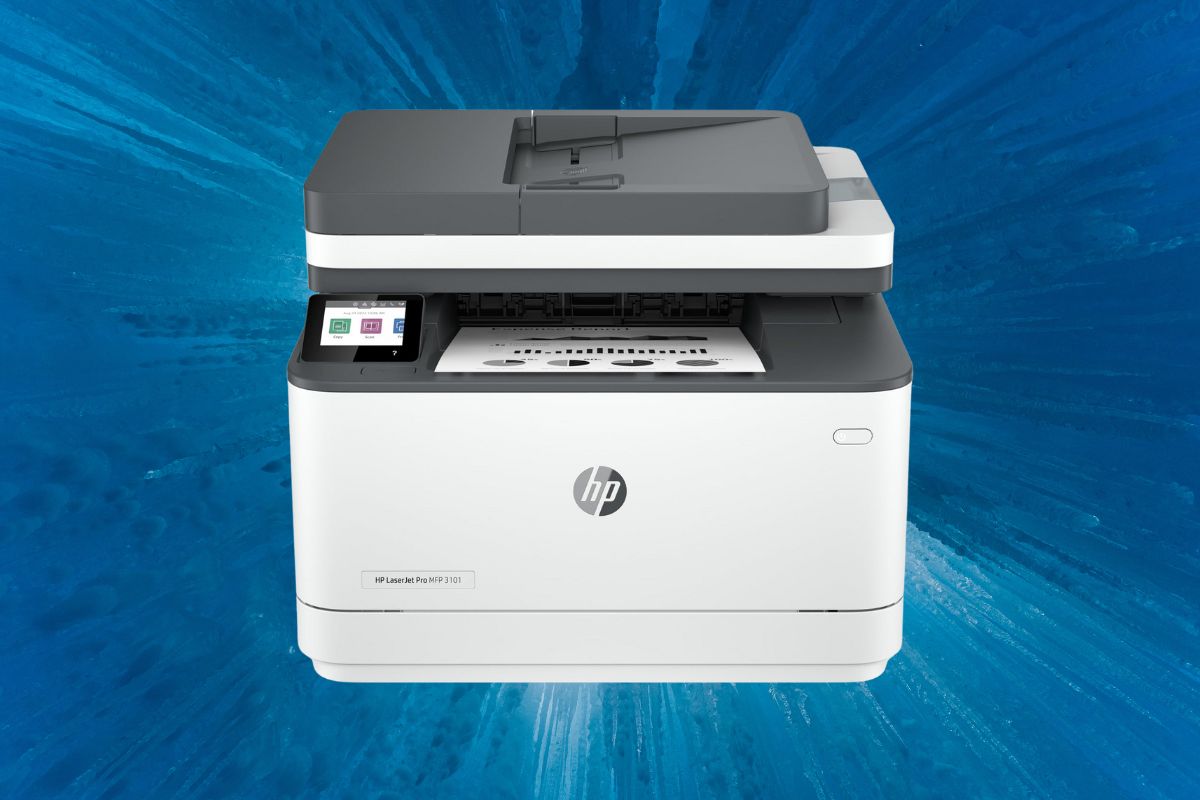
In today’s fast-paced business world, a reliable printer can make or break your office’s productivity. Enter the HP LaserJet Pro MFP 3101fdw, a monochrome all-in-one laser printer that’s turning heads in the small to medium-sized business sector. With lightning-fast print speeds of up to 35 pages per minute, this workhorse is designed to keep your team moving at full throttle. But speed isn’t everything – let’s unpack what makes this printer a game-changer for your office.
Unrivaled Printing Performance
The HP LaserJet Pro MFP 3101fdw sets a new standard for office printing efficiency. With print speeds reaching up to 35 pages per minute, this powerhouse device drastically reduces wait times for large print jobs. The first page emerges in a mere 6.6 seconds, ensuring that even single-page prints are completed swiftly.
Professional-Quality Output
Delivering crisp, clear prints at 1200 x 1200 dpi resolution, the LaserJet Pro MFP 3101fdw produces professional-quality documents that make a lasting impression. The automatic duplex printing feature not only saves paper but also enhances productivity by eliminating the need for manual page flipping.
Versatile Scanning and Copying Capabilities
The dual scanning options of the LaserJet Pro MFP 3101fdw cater to diverse document management needs. The flatbed scanner accommodates bound materials and delicate documents, while the 50-sheet Automatic Document Feeder (ADF) streamlines batch scanning processes.
High-Speed, High-Resolution Scanning
With scan speeds of up to 20 pages per minute for black and white documents and 9 pages per minute for color, this device significantly reduces document digitization time. The high-resolution scanning capability of up to 1200 x 1200 dpi ensures that even the finest details are captured with precision.
Flexible File Format Support
The LaserJet Pro MFP 3101fdw supports a wide range of file formats, including JPG, TIFF, XPS, PDF, and PDF/A. This versatility enables seamless integration with various document management systems and workflows.
Faxing Features for Seamless Communication
Despite the digital age, faxing remains crucial for many businesses. The LaserJet Pro MFP 3101fdw excels in this area with its swift transmission speed of approximately 3 seconds per page. The clear fax resolution of up to 300 x 300 dpi ensures that received documents are legible and professional.
Ample Fax Memory
With the ability to store up to 1,000 pages in its fax memory, this device prevents missed communications even during peak periods or system downtimes.
Smart Paper Handling and Media Support
The LaserJet Pro MFP 3101fdw’s paper handling capabilities are designed to minimize interruptions and maximize productivity.
Generous Paper Capacity
The 250-sheet input tray reduces the frequency of paper refills, while the 150-sheet output bin accommodates large print jobs without constant monitoring.
Versatile Media Support
From small 3 x 5 inch prints to legal-sized documents, this printer handles a wide range of media sizes. The 50-sheet capacity ADF further enhances efficiency for batch scanning and copying tasks.
Connectivity Options for the Modern Office
In today’s interconnected work environment, the LaserJet Pro MFP 3101fdw offers a range of connectivity options to suit various office setups.
Wired and Wireless Connections
Multiple connection ports, including Hi-Speed USB 2.0 and Ethernet, provide reliable wired connectivity. The dual-band Wi-Fi feature allows for flexible printer placement and reduces network congestion.
Mobile Printing Support
With support for the HP Smart App, Apple AirPrint, and Mopria, this printer enables seamless printing from a variety of mobile devices, catering to the needs of an increasingly mobile workforce.
Compact Design with User-Friendly Interface
The LaserJet Pro MFP 3101fdw’s design prioritizes both space efficiency and user experience.
Space-Saving Dimensions
Measuring just 16.5 x 15.7 x 12.3 inches, this printer fits comfortably in most office spaces. Its lightweight construction at 23.1 lbs allows for easy relocation when necessary.
Intuitive Control Panel
The 2.7-inch color touchscreen provides an intuitive interface for easy navigation through the printer’s various functions.
Advanced Features for Enhanced Productivity
The LaserJet Pro MFP 3101fdw is equipped with several features that boost overall office productivity and security.
Powerful Processing
With a 1 GHz processor and 512 MB of memory, this printer handles complex print jobs with ease, minimizing wait times and enhancing workflow efficiency.
Robust Security
Password protection and 802.1x authentication features safeguard sensitive documents and prevent unauthorized access to the device.
Energy Efficiency
The printer’s energy-efficient design contributes to reduced operating costs, making it an environmentally conscious choice for businesses.
Value Proposition and Pricing
The HP LaserJet Pro MFP 3101fdw offers a compelling value proposition for businesses seeking a balance of quality, efficiency, and cost-effectiveness.
Pricing Options
New units are available on Amazon for approximately $279.00, representing a solid investment in office productivity. For budget-conscious buyers, renewed units are offered at around $190.94, providing a more economical entry point to high-quality printing solutions.
The Bottom Line
The HP LaserJet Pro MFP 3101fdw stands out as a versatile powerhouse in the world of office printing. Its combination of speed, quality, and multi-functionality makes it an ideal choice for businesses looking to streamline their document management processes. Whether you’re printing reports, scanning contracts, or sending faxes, this all-in-one solution has you covered. Ready to boost your office productivity? Consider the HP LaserJet Pro MFP 3101fdw – it might just be the upgrade your business has been waiting for.
Leave a Reply