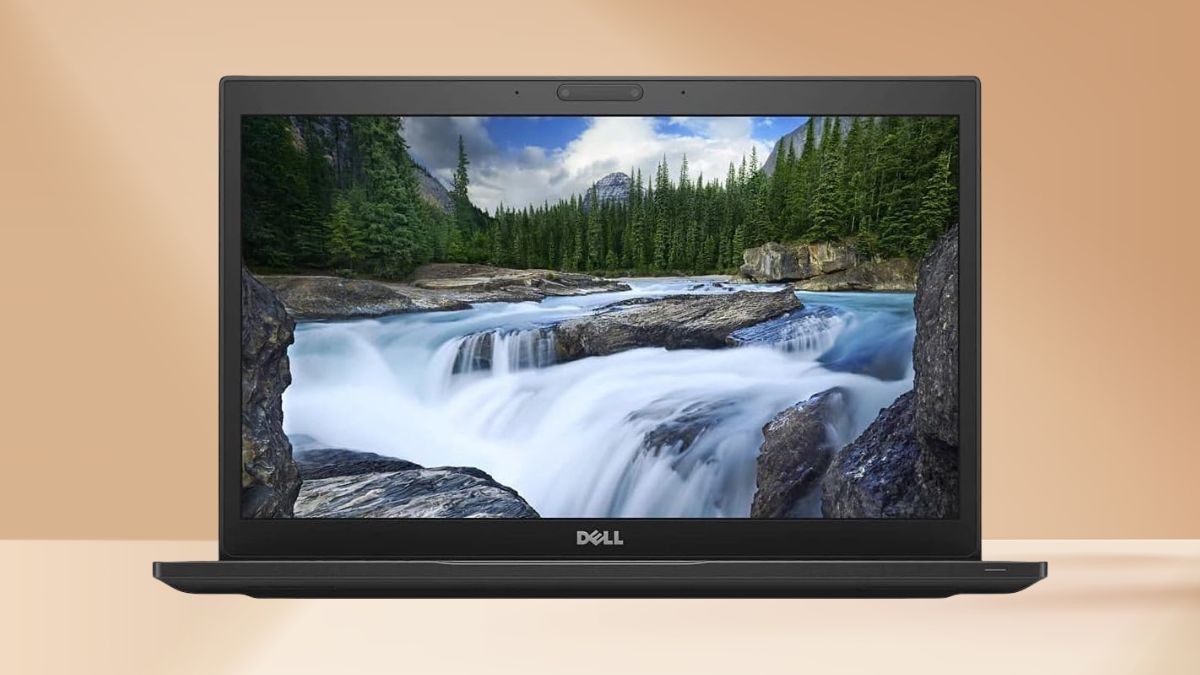
In a market saturated with sleek but overpriced laptops, the renewed Dell Latitude 7490 manages to offer real business value for just $251.63. This was once a premium machine built for professionals—and after three weeks of daily testing, I can confirm it still holds its ground surprisingly well.
Here’s how this affordable workhorse performs in 2025.
Business-Class Performance Without Breaking the Bank
Despite being powered by a previous-generation Intel Core i7-8650U, the Latitude 7490 handles most business workflows with ease.
The quad-core, eight-thread chip boosts up to 4.2 GHz and shows no sign of slowing down with modern tasks.
- Multitasking is smooth, even with multiple apps open (Office, web browsers, conferencing tools).
- Thermal management is solid, keeping performance consistent without excessive heat or throttling.
- Turbo boost helps during quick performance spikes, like when batch-processing documents or switching between virtual meetings and research tabs.
While not on par with today’s fastest silicon, this CPU still meets the demands of standard office applications and moderate content work.
Memory and Storage Setup: Balanced for Everyday Use
This unit ships with 16GB of DDR4 RAM—plenty for everyday business multitasking. Even with 20+ Chrome tabs and multiple apps open, the system remained responsive.
The 256GB PCIe NVMe SSD is another highlight:
- Boot-up: ~12–15 seconds
- App launches: nearly instant
- File transfer speeds: ~1500–1800 MB/s (read), ~900–1100 MB/s (write)
The SSD and RAM combo creates a responsive experience that rivals some newer systems. And for those needing more space, USB 3.1 ports support fast external storage.
Visuals and Display: Made for Productivity, Not Glamour
The 14-inch Full HD screen provides a comfortable viewing experience, even over long sessions.
- Matte finish keeps reflections to a minimum
- Decent brightness for indoor work (not ideal under harsh sunlight)
- Average color accuracy—fine for documents and presentations, less ideal for design tasks
You also get excellent external display support:
- HDMI port drives 4K monitors at 60Hz
- USB-C enables multi-monitor setups
While the bezels are thicker than modern designs, they don’t get in the way.
Build Quality That Stands Up to Travel
At 3.1 pounds, the Latitude 7490 feels sturdy without being burdensome. The carbon fiber-reinforced chassis and magnesium alloy base suggest long-term durability.
- The keyboard is a strong point: tactile, backlit, spill-resistant, and spaced well.
- The trackpad is responsive, though smaller than today’s ultrabooks.
- Ports are abundant, eliminating the need for dongles in most cases.
You get full-size USB, Ethernet, HDMI, a microSD card slot, and even a Noble lock port—ideal for office or mobile setups.
Windows 11 Pro on Older Hardware: Still Works Smoothly
Windows 11 Pro runs cleanly on this system and brings in features that matter for business users:
- BitLocker encryption
- Remote Desktop access
- Group Policy management
- Windows Information Protection
Authentication options like Windows Hello are supported, and software compatibility is broad—everything from Zoom to Excel to Canva runs without issue.
Battery Life: Modest but Manageable
Battery performance ranges based on how you use it:
- 5–7 hours for browsing and document work
- 3–4 hours during video playback or heavier tasks
Fast charging helps offset the relatively short runtime—80% charge in about an hour. As with all renewed units, battery condition may vary, but reputable sellers typically ensure acceptable performance before resale.
Connectivity and Expansion: All the Right Ports
Unlike ultra-thin laptops that sacrifice practicality, the 7490 delivers on expandability:
- USB 3.1 Gen 1 and USB-C ports
- HDMI and Ethernet ports
- MicroSD reader and audio jack
Wireless connectivity includes Wi-Fi and Bluetooth—versions may vary, but performance was stable during testing. The system also supports docking via Dell stations, making it a solid choice for home office setups.
The Refurbished Experience: What You’re Getting
Renewed models like this go through a typical reconditioning process:
- Cleaning and visual inspection
- Hardware testing and replacement
- Fresh OS installation and updates
You might see minor cosmetic wear, but functionality shouldn’t be compromised.
At $251.63, it’s a fraction of what comparable business machines cost—and Amazon’s return policy adds a layer of peace of mind.
Who This Laptop Makes Sense For
This isn’t just a cheap machine—it’s a smart investment for the right users:
- Small business owners who need reliability without bloated specs
- Students managing coursework and virtual learning
- Remote workers with external monitors and multi-app workflows
- Anyone on a tight budget who values performance over flashy design
You’re getting roughly 80–90% of the real-world capability of newer $1000 laptops—especially when you factor in port selection, construction, and software performance.
A Smart Buy That Still Delivers
The Dell Latitude 7490 may be a few generations old, but it doesn’t feel obsolete. For most business tasks—editing, browsing, conferencing, and multitasking—it performs just as well as many new models. Its build quality, port options, and Windows 11 Pro support make it more than just a backup device.
If you’re looking to avoid inflated prices while still getting dependable performance, this renewed Latitude is one of the smartest under-$300 laptops available today.
Leave a Reply