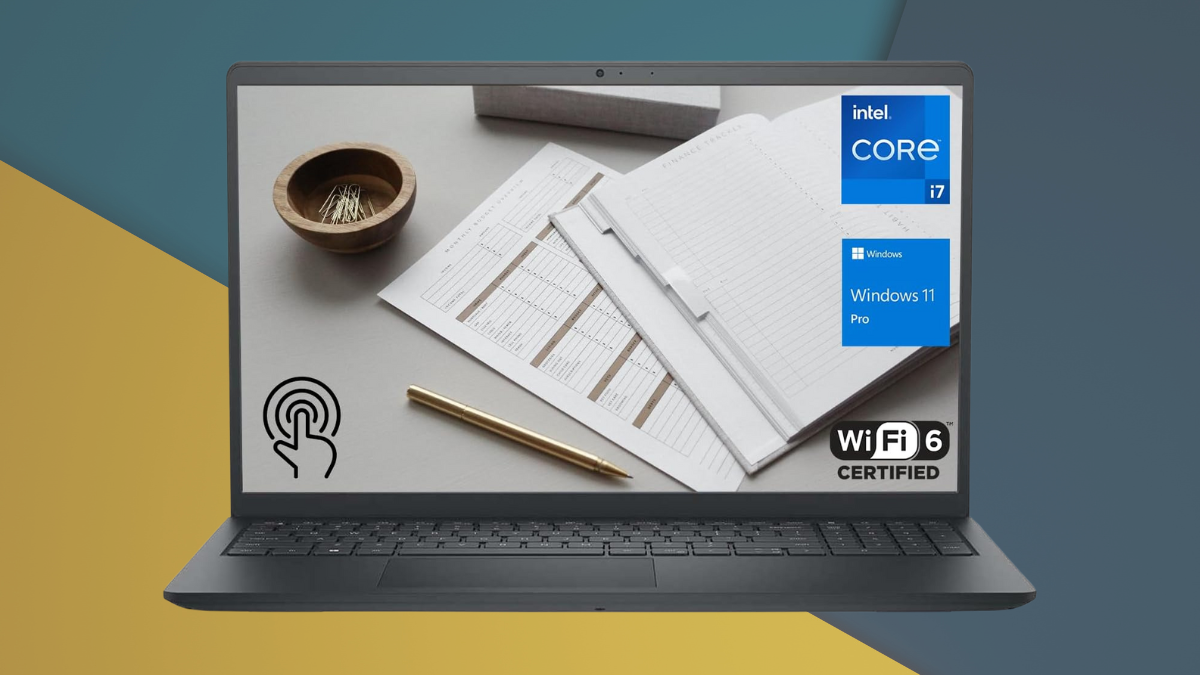
For professionals navigating hybrid work, mobile presentations, or data-heavy applications, choosing the right business laptop can be the difference between daily efficiency and constant compromise.
The DELL 13th Generation Business Inspiron 15 3530 offers a well-balanced answer to that challenge—combining a high-performance Intel Core i7 CPU with practical design, excellent connectivity, and thoughtful enterprise features, all at a price point that’s far below most flagship business devices.
Let’s break down exactly how this system manages to deliver top-tier performance and usability without stretching your budget.
Built for Speed: How the Inspiron 15 Handles Performance Demands
At the heart of this machine lies Intel’s 13th Gen Core i7-1355U processor. With 10 cores and turbo speeds reaching 5.0 GHz, it delivers fast, sustained power for real-world tasks.
- Multitasking muscle: With 32GB of DDR4 RAM, it easily runs demanding apps side-by-side—think Excel crunching, Zoom calls, and Chrome tabs, all without a hitch.
- Storage ready for scale: A 1TB PCIe NVMe SSD ensures apps open quickly and files load instantly. The M.2 Gen 4 slot gives you future upgrade flexibility.
- Thermals under control: An adaptive cooling system minimizes throttling and keeps the laptop cool during high-intensity tasks like large data imports or virtualization.
This laptop doesn’t just run fast—it stays fast, even with a heavy workload. That’s a rare trait in this segment.
Crisp, Responsive, and Touch-Ready: How the Display Enhances Workflow
Business users need clarity, not gimmicks. The Inspiron’s 15.6″ Full HD touchscreen goes beyond expectations with both detail and responsiveness.
- 1080p resolution and 120Hz refresh rate offer a smoother experience while editing documents, scrolling spreadsheets, or viewing video.
- Anti-glare coating helps reduce reflections—ideal for offices with lots of lighting.
- Touch input adds extra flexibility for navigation or sketching notes.
Color and brightness are fine for general office work. If you’re in design or photo editing, though, you’ll want a more color-accurate panel.
Durable Without Being Bulky: How Design Serves the Mobile Professional
Business laptops often sacrifice build quality to stay under budget—but not here. The Inspiron 15 3530 comes with a surprisingly robust aluminum chassis.
- At just 3.66 lb and 17mm thick, it’s very portable for a 15-inch device.
- Military-grade tested build adds peace of mind for travel or shared workspaces.
- Full-size keyboard with number pad makes long typing sessions comfortable, though it lacks backlighting.
The result is a laptop you won’t hesitate to toss in your bag and take to a meeting, coworking space, or airport lounge.
No Dongles Needed (Mostly): How Connectivity Works in Practice
This laptop covers the most important connectivity needs, with a few caveats.
- USB-C (3.2 Gen1), USB-A, HDMI 1.4, SD card reader—you’ll likely connect everything from a mouse to a projector without fuss.
- Wi-Fi 6 and Bluetooth 5.3 deliver strong wireless performance and reliability.
However, no Thunderbolt and no fingerprint reader might be deal-breakers for power users or companies with stricter security setups. Most professionals, though, will find the port layout more than sufficient for daily use.
Staying Powered and Cool: How the Battery and Thermals Hold Up
Dell offers two battery options—41Wh and 54Wh. Depending on which you choose, you can expect:
- 5–6 hours of real-world usage on the smaller battery, up to a full workday with the larger option.
- Fast charging support helps you get back to work quickly if you’re on the move.
- Efficient thermal design means no hot lap discomfort during long meetings.
It’s not a marathon machine, but it’s reliable and predictable—which counts more in business travel or all-day conferences.
Virtual Meetings Matter: How Audio-Visual Features Support Hybrid Work
One of this laptop’s underappreciated strengths is how well it handles video conferencing:
- 1080p webcam offers sharper video than typical 720p alternatives.
- Dual microphones with noise reduction make your voice clearer on calls.
- Stereo speakers (2x2W) are decent for video calls and light streaming.
Some configurations also offer a privacy shutter, which is a helpful addition for remote teams concerned with webcam security.
Security and Management: How Dell Balances Enterprise Needs
For business buyers, platform security and IT manageability are key. Here’s what the Inspiron 15 offers:
- Windows 11 Pro, including Group Policy, BitLocker, and remote management features.
- TPM (Trusted Platform Module) for secure encryption key storage.
- Dell Command Suite tools for centralized IT maintenance and deployment.
- No biometric login (fingerprint), which may require a PIN or external auth device for some users.
Support options include extended business warranties and next-business-day repairs—ideal for minimizing downtime.
Is It Worth It? How Value Stacks Up Against Competitors
When configured with the i7, 32GB RAM, and 1TB SSD, the Inspiron 15 3530 offers serious performance at a mid-range price.
- Cheaper than Dell’s Latitude or XPS lines, but still enterprise-ready.
- Upgrade-friendly RAM and storage allow longer use before obsolescence.
- Available on Amazon, often at discounted rates or during Dell’s quarterly business promotions.
For freelancers, small business owners, or even mid-size IT departments deploying work-ready machines, it’s a strong ROI.
This Is How the Inspiron 15 3530 Wins
The Dell Inspiron 15 3530 proves that you don’t need to spend thousands for a well-rounded, high-performing business laptop. It blends speed, thoughtful design, and real business functionality into a compact package that’s both affordable and dependable.
You miss out on some premium features like Thunderbolt ports or OLED displays—but if you need a reliable workhorse to carry your business tasks day after day, this Dell delivers exactly that.
Available on Amazon in multiple configurations, it’s one of the best values in the 2025 business laptop market.
Leave a Reply