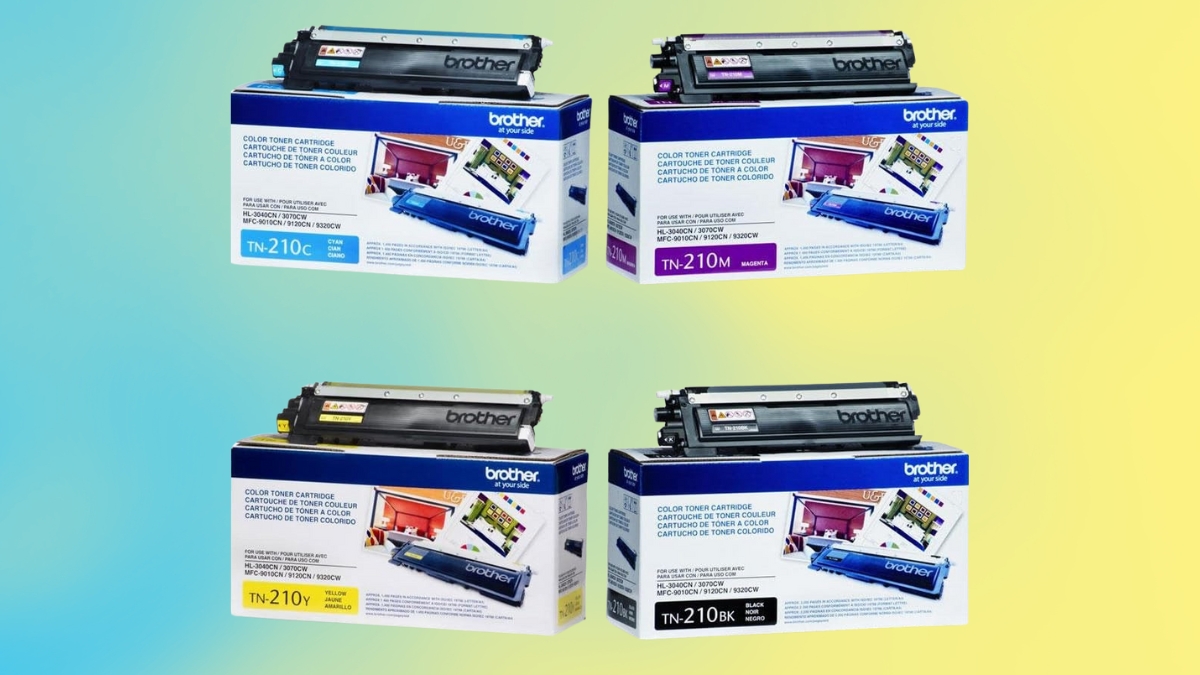
Running out of toner in the middle of an important print job is frustrating. If you use a Brother printer, the Brother TN-210 Toner Cartridge Set might be the right choice for you. This set includes four cartridges—black, cyan, magenta, and yellow—designed to work with several Brother printer models.
Each black toner cartridge delivers up to 2,200 printed pages, while color cartridges provide around 1,400 pages each. If you print documents for work or school, this toner set offers a balance of quality and performance.
But how does it compare to other options? Let’s explore its features, installation process, and real user feedback.
Brother TN-210 Toner Cartridge Set: Features and Performance
The Brother TN-210 Toner Cartridge Set includes four essential colors:
- Black (TN210BK) – Yields up to 2,200 pages
- Cyan (TN210C) – Yields up to 1,400 pages
- Magenta (TN210M) – Yields up to 1,400 pages
- Yellow (TN210Y) – Yields up to 1,400 pages
These toner cartridges are designed for crisp text and vibrant colors. They work well on different types of paper, making them suitable for both office documents and professional-quality images.
Compatible Printers for Brother TN-210 Toner Cartridge Set
This toner set works with several Brother printer models, ensuring easy installation and seamless compatibility. Supported models include:
Brother HL Series:
- HL-3040CN
- HL-3045CN
- HL-3070CW
- HL-3075CW
Brother MFC Series:
- MFC-9010CN
- MFC-9120CN
- MFC-9125CN
- MFC-9320CN
- MFC-9320CW
- MFC-9325CW
Using the right toner ensures optimal print quality and reduces the risk of printer errors.
Brother TN-210 Toner Cartridge Yield and Cost Efficiency
Print yield is an important factor when choosing a toner. The Brother TN-210 toner cartridge yield meets standard business and home office needs. With 2,200 pages for black and 1,400 pages per color, this set offers a reasonable cost per page compared to alternatives.
While third-party toner replacements are available, Brother’s original toner maintains printer performance and reduces issues like smudging or fading. The upfront cost may be higher, but long-term reliability makes it a solid choice for consistent results.
Easy Installation and Maintenance
Installing the Brother TN-210 toner cartridge set is easy, even if you are not tech-savvy. Follow these steps for a smooth setup:
- Open the printer’s front cover and remove the old toner cartridge.
- Unpack the new cartridge and gently shake it to distribute the toner evenly.
- Insert the new cartridge into the correct slot (black, cyan, magenta, or yellow).
- Close the printer cover and allow the machine to recognize the new cartridge.
- Run a test print to confirm proper installation.
To extend the life of your toner, store extra cartridges in a cool, dry place and avoid exposing them to direct sunlight.
Brother TN-210 Toner Cartridge Reviews
User feedback highlights the toner’s reliability and high print quality. Many customers appreciate the sharp text and bright colors. Business users report that it performs well for contracts, invoices, and presentations, while home users find it great for school assignments and personal projects.
Some reviews mention that the toner lasts longer than expected, making the price more justifiable. Others point out that while third-party options are cheaper, Brother’s toner reduces the risk of printer malfunctions. If quality and consistency matter to you, this set remains a trusted choice.
Is This Toner Set a Good Choice?
This toner set offers reliable performance for both home and office use. It delivers crisp text, vivid colors, and consistent results. While it costs more than generic alternatives, the quality and durability make up for the price. If you want hassle-free printing and dependable results, this toner set is a strong option.
Looking to purchase? You can find the Brother TN-210 Toner Cartridge Set on Amazon and other major retailers. Check for discounts and bundle deals to get the best value for your money.
Leave a Reply