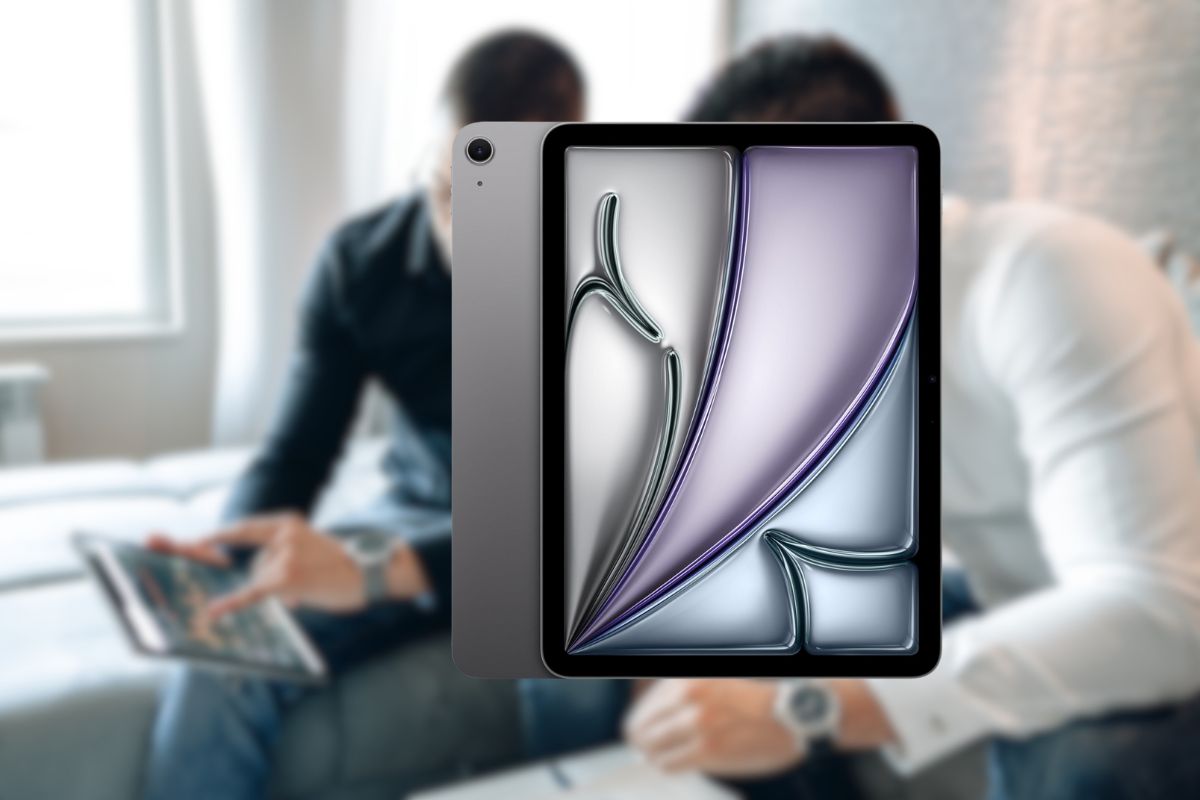
The tablet landscape has dramatically shifted with Apple’s latest offering. At $499 (a full $100 below MSRP), the 11-inch iPad Air with M3 chip represents perhaps the most significant value proposition in Apple’s current lineup. I’ve spent weeks testing this device, and the performance-to-price ratio is frankly staggering. With 20% faster processing than its predecessor and a stunning Liquid Retina display, this isn’t just an incremental update—it’s a complete reimagining of what a mid-tier tablet can deliver.
Technical Specifications and Performance
The iPad Air 11″ (M3) represents a significant leap forward in tablet computing power. The M3 chip architecture features an 8-core CPU paired with a 9-core GPU and a 16-core neural engine that delivers performance previously reserved for desktop computers. This translates to approximately 20% faster processing compared to the previous M2 model—enough headroom for even the most demanding applications.
Display quality remains exceptional with a 2360 × 1640 resolution at 264 pixels per inch. The implementation of True Tone technology automatically adjusts white balance based on ambient lighting conditions, while P3 wide color gamut support ensures professional-grade color reproduction essential for creative work.
Storage configurations are strategically tiered at 128GB, 256GB, and 512GB, catering to different user needs from casual consumers to power users managing large media libraries. The base 128GB model strikes an excellent balance between affordability and practicality for most users.
Battery performance holds steady at 9-10 hours of continuous usage on a single charge—sufficient for a full workday or long-haul flight without requiring a power source. This battery efficiency is particularly impressive considering the performance capabilities of the M3 chip.
Connectivity options have been modernized with USB-C (10 Gbps) replacing the legacy Lightning port, dramatically improving data transfer speeds and peripheral compatibility. Wi-Fi 6E support ensures faster, more reliable wireless connections, while the optional 5G cellular capability provides always-on connectivity for professionals on the move.
Despite its powerful internals, the iPad Air maintains a significantly lighter profile than the Pro model while preserving the premium build quality Apple users expect.
Design and Build Quality
The aluminum unibody construction continues Apple’s tradition of exceptional build quality, available in multiple color options that maintain a professional aesthetic. The device features a remarkably sleek profile measuring just 6.1mm in thickness, making it comfortable to hold for extended periods.
Screen-to-body ratio improvements over previous generations maximize the viewing area while minimizing the overall footprint. The result is a more immersive experience without increasing the physical dimensions of the device.
Tactile button feedback has been refined, providing a satisfying response that contributes to the premium feel of the device. The industrial design demonstrates Apple’s attention to detail, with perfectly aligned ports and precisely machined edges.
Environmental considerations are increasingly evident in the iPad Air’s construction, with recycled materials used throughout and significantly reduced packaging compared to earlier models. This represents Apple’s ongoing commitment to sustainability without compromising product quality.
Durability testing results indicate improved resistance to everyday wear compared to previous models, with special attention paid to the display’s scratch resistance and the aluminum body’s resistance to micro-abrasions.
Display Technology Deep Dive
The Liquid Retina display incorporates an anti-reflective coating that significantly reduces glare in bright environments. This, combined with 500-nit brightness capability, ensures excellent visibility even in outdoor settings where many competing tablets struggle.
While lacking the ProMotion technology found in the iPad Pro line, the display still delivers smooth visual performance for most applications. The standard refresh rate handles scrolling, video playback, and casual gaming without noticeable issues.
Color accuracy measurements position the iPad Air as a viable tool for creative professionals. The display achieves over 100% sRGB coverage and excellent Delta-E scores that rival dedicated professional monitors at much higher price points.
True Tone implementation continually adjusts the white point of the display to match ambient lighting, reducing eye strain during extended use. This feature is particularly beneficial for reading and document-based work in varying lighting conditions.
When compared with OLED alternatives and competitive tablets, the Liquid Retina display maintains Apple’s reputation for excellent display technology. While OLED displays offer deeper blacks, the iPad Air’s LCD technology provides more consistent brightness across the entire panel and avoids potential burn-in issues.
Camera System and Media Creation
The 12MP wide and ultra-wide front camera with Center Stage technology represents a significant upgrade for video conferencing. The system automatically keeps subjects centered in the frame, even as they move around, creating a more professional appearance during virtual meetings.
Video recording capabilities extend to 4K resolution, providing exceptional clarity for content creation. The rear camera system captures detailed footage suitable for professional applications, from documenting work sites to creating instructional content.
Audio capture quality benefits from studio-grade microphones that deliver clear voice reproduction with minimal background noise. This makes the iPad Air suitable for podcast recording, voice notes, and video narration without requiring external microphones in most situations.
Content creation workflows see substantial improvements over previous generations, with faster rendering times and more responsive editing experiences in apps like Procreate, LumaFusion, and GarageBand. The M3 chip handles multi-layer projects with minimal lag, even when working with high-resolution assets.
Augmented reality applications leverage the camera system in conjunction with the M3’s neural engine to deliver immersive experiences with precise spatial tracking. Educational and professional AR applications run smoothly, creating new possibilities for visualization and instruction.
Video conferencing performance in real-world testing demonstrates excellent clarity and reliability, with the Center Stage feature receiving particular praise from remote workers and educators who need to move around while presenting.
Accessory Ecosystem
Apple Pencil Pro compatibility opens new creative applications, with pressure sensitivity and tilt recognition that closely mimics traditional drawing tools. The magnetic attachment and wireless charging eliminate the hassle of cable management, while palm rejection technology allows for natural hand positioning when drawing or taking notes.
The redesigned Magic Keyboard with function row represents a substantial productivity improvement for professionals who regularly type on their iPad. The addition of a function row provides quick access to common commands without requiring touch gestures or menu navigation.
Third-party accessory options have expanded significantly, with manufacturers like Logitech, Brydge, and Zagg offering alternatives to Apple’s first-party accessories at various price points. These options allow users to customize their setup based on specific needs and budget constraints.
Smart Folio protection offers both screen coverage and viewing angle versatility, with the ability to quickly position the iPad for typing, viewing, or drawing. The minimal bulk maintains the iPad Air’s portable profile while adding essential protection.
Connectivity expansion through USB-C hubs and adapters transforms the iPad Air into a more versatile workstation. Users can connect external displays, storage devices, and specialized peripherals to extend the tablet’s capabilities beyond its built-in features.
Charging solutions for home, office, and travel have proliferated with the adoption of USB-C, allowing iPad Air users to utilize existing chargers from laptops and smartphones. Fast-charging support enables quick top-ups during short breaks.
iPadOS Features and Optimization
iPadOS-specific optimizations for the M3 chip unlock performance previously reserved for desktop applications. Tasks like video editing, 3D modeling, and code compilation execute significantly faster than on previous iPad Air generations.
Multitasking capabilities with Stage Manager provide a more desktop-like experience, allowing users to resize windows and create custom workspaces. This feature particularly benefits professionals who need to reference multiple documents or applications simultaneously.
App performance across creative, productivity, and entertainment categories demonstrates consistent excellence. Professional applications like Adobe Photoshop, Affinity Designer, and Lumafusion deliver nearly identical functionality to their desktop counterparts.
Apple Intelligence integration leverages on-device processing to enhance privacy while delivering smart features like text recognition, subject isolation in photos, and predictive typing suggestions. These capabilities function without requiring cloud processing, maintaining data privacy.
Gaming performance with console-quality titles showcases the M3’s graphics capabilities. Games like Genshin Impact, Civilization VI, and Resident Evil Village run at high settings with consistent frame rates that rival dedicated gaming devices.
File management and external device support improvements make the iPad Air more viable as a primary computing device. The Files app now offers functionality comparable to desktop file explorers, with seamless integration for cloud storage services and external drives.
Value Proposition Analysis
Price comparison with previous iPad Air generations reveals the M3 model delivers substantially more performance and features at a similar price point, especially when considering the current $499 promotional price—$100 below MSRP.
Cost analysis versus iPad Pro and entry-level iPad models positions the Air as the sweet spot in Apple’s tablet lineup. It offers many Pro features at a significantly lower price while delivering a premium experience that justifies its cost premium over the base iPad.
Long-term value considering Apple’s software support history suggests the iPad Air M3 will remain viable for 5-7 years of regular use. Apple typically provides iPadOS updates for 5+ years after release, ensuring security patches and new features continue to arrive.
Trade-in options and upgrade paths for existing iPad owners make transitioning to the new model more affordable. Apple’s trade-in program and third-party resellers offer competitive values for previous-generation devices in good condition.
Total cost of ownership including recommended accessories should factor into purchase decisions. While the Magic Keyboard ($299) and Apple Pencil Pro ($129) add significant cost, they transform the iPad Air into a more versatile computing device.
The competitive landscape versus Android and Windows alternatives highlights the iPad Air’s advantages in app ecosystem, performance, and build quality. While some competitors offer lower entry prices, few match the overall package of hardware, software, and support.
Purchasing Guide
Current pricing at $499 for the 11-inch, 128GB model represents an exceptional value at $100 below MSRP. This configuration provides sufficient storage for most users while delivering the full performance benefits of the M3 chip.
Color and storage configuration recommendations depend on personal preference and usage patterns. The Space Gray finish shows fewer fingerprints and scratches over time, while 256GB storage provides valuable headroom for users who work with large files or install many applications.
Cellular vs. Wi-Fi only decision factors include mobility requirements and budget considerations. The cellular model adds approximately $150 to the base price but eliminates the need for hotspot tethering when away from Wi-Fi networks.
Retailer comparison highlights Amazon’s customer experience benefits, including free Prime delivery, hassle-free returns, and reliable customer service. The 4.7/5 star rating from over 600 users provides confidence in product satisfaction.
Extended warranty considerations should include evaluation of AppleCare+ options, which provide two years of technical support and accidental damage protection. At $79, this represents a worthwhile investment for a device that will likely see daily use.
Shipping and delivery timelines with Prime benefits ensure quick receipt of your new iPad, with current estimates promising delivery by June 21 at no additional cost. This rapid fulfillment compares favorably with other retailers that may have longer wait times.
The Verdict: Why the iPad Air 11-inch (M3) Stands Out
The iPad Air 11-inch (M3) represents an exceptional sweet spot in Apple’s 2025 tablet lineup. At $499, you’re getting nearly iPad Pro-level performance with the versatility and portability that define the Air series. The M3 chip transforms this device from a consumption-focused tablet into a legitimate laptop replacement for many users. Whether you’re a student managing digital textbooks, a creative professional sketching ideas, or simply someone who wants a premium entertainment device, this iPad delivers exceptional value. With Amazon’s reliable shipping and customer service backing your purchase, there’s never been a better time to upgrade your tablet experience.
Leave a Reply