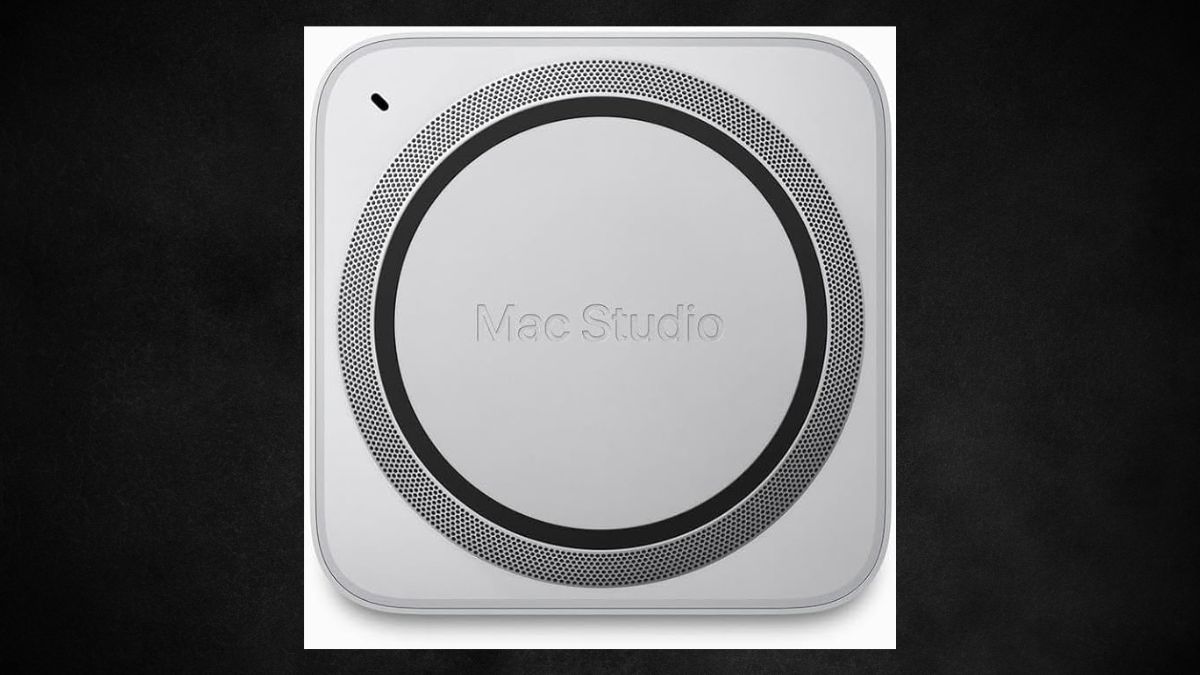
The demands of professional workflows—especially in video editing, 3D rendering, and development—require hardware that’s not just powerful, but efficient and compact.
The 2023 renewed Apple Mac Studio with M2 Max delivers exactly that. Despite its minimalist exterior, this machine brings top-tier performance to creative studios and development labs alike, thanks to a robust 12-core CPU, 30-core GPU, and 400 GB/s memory bandwidth.
If you’re considering a desktop workstation upgrade but want to avoid the steep price tag of a brand-new unit, this renewed model deserves a closer look.
Technical Specifications and Hardware Overview
Before diving into real-world performance, it’s worth examining the engineering that powers this compact beast.
Processor and Chip Architecture
- The heart of the Mac Studio is the Apple M2 Max, featuring a 12-core CPU, 30-core GPU, and 16-core Neural Engine.
- These components share a unified chip architecture, offering streamlined data access across the entire system.
- Memory bandwidth clocks in at 400 GB/s, which dramatically reduces latency in demanding operations.
Unified Memory and Storage
- 32GB of unified RAM is shared dynamically across the CPU, GPU, and Neural Engine.
- This architecture allows apps to utilize memory more efficiently than traditional systems.
- The included 512GB SSD offers fast read/write speeds, though some professionals may require additional external storage.
I/O and Connectivity
- Rear panel: Four Thunderbolt 4 ports, two USB-A, HDMI, and 10Gb Ethernet.
- Front panel: Two USB-C ports and an SDXC card slot—perfect for quick media transfers.
- Wireless: Wi-Fi 6E and Bluetooth 5.3 support stable, high-speed connections to accessories.
Form Factor
- Compact dimensions of 3.7” x 7.7” x 7.7” and a weight of about 5.9 pounds.
- Fits comfortably into most desk setups without compromising thermal or port accessibility.
Performance Benchmarks and Comparisons
Thanks to its upgraded silicon and unified architecture, the M2 Max version of the Mac Studio delivers a leap forward in real-world performance.
CPU and GPU Efficiency
- CPU performance is roughly 20% faster than the M1 Max, especially noticeable in multi-threaded tasks like audio production or code compilation.
- GPU capabilities jump 30%, making tasks like motion graphics and 3D modeling smoother and more responsive.
Real-World Scenarios
- 4K and 8K video editing is handled with ease—even with multiple layers of effects and real-time playback.
- 3D workflows see improved viewport navigation and rendering performance in apps like Blender and Cinema 4D.
- Photography tools like Lightroom benefit from faster RAW processing and AI masking.
- Software developers can run virtual machines, large builds, and emulators simultaneously with no noticeable lag.
- Machine learning frameworks (TensorFlow, PyTorch) enjoy acceleration via the Neural Engine for training and inference tasks.
Thermal Management
Even under full load, fan noise is minimal. Apple’s engineering keeps the machine cool without the audible distractions often associated with high-performance workstations.
Connectivity, Displays, and Ecosystem Compatibility
Creative professionals rely on broad I/O support, and the Mac Studio delivers in spades.
Display Outputs
- Supports up to five displays: Four 6K screens via Thunderbolt and one 4K via HDMI.
- Ideal for editors, coders, and traders needing expanded visual workspaces.
Port Accessibility
- Front-facing USB-C ports and SD card slot streamline everyday tasks like camera imports and file transfers.
- Full-size ports reduce the need for dongles or adapters—keeping your setup cleaner and more reliable.
Networking and Integration
- 10Gb Ethernet allows fast local transfers, essential for media teams or remote storage access.
- The system supports a wide range of peripherals—audio interfaces, external drives, and pro cameras—without the need for docks.
What Workflows Benefit Most?
This Mac Studio configuration isn’t just about raw specs. It’s about matching power to real-world creative demands.
- Video Editing: Real-time effects, fast render times, and reliable 8K handling.
- 3D Rendering: Excellent viewport and GPU rendering performance.
- Photography: Efficient batch editing and file management.
- Software Development: Swift compile times and seamless virtualization.
- AI/ML Research: Hardware-accelerated model training and inference.
A Few Caveats to Keep in Mind
Even powerhouse systems come with trade-offs. Here are a few to be aware of:
- Storage limitations: 512GB fills quickly with video or RAW image files. External drives may be necessary.
- Non-upgradable: RAM and SSD are soldered, so your initial configuration must meet long-term needs.
- Renewed status: Warranty terms may differ from new Apple devices; check seller policies carefully.
- Legacy peripherals: Adapters may be needed for older hardware without USB-C or Thunderbolt compatibility.
Is the 2023 Renewed Mac Studio M2 Max Worth It?
For creative professionals looking for exceptional computing power in a compact form, the renewed 2023 Mac Studio with M2 Max checks almost every box. You get top-tier CPU and GPU performance, an outstanding port array, and the ability to handle modern workflows—from 8K video editing to machine learning development—all with whisper-quiet operation.
If your storage needs are modest or you already use high-speed external drives, this system offers unbeatable value. Just make sure you choose the right configuration from the start, as upgrades aren’t possible down the road.
Available on Amazon as part of their New Releases in Desktop Computers, this renewed Apple Mac Studio is a smart investment for professionals who want cutting-edge performance without the premium new-in-box price. To explore more products in this category, check out the full Amazon New Releases section for desktop computing.
Leave a Reply