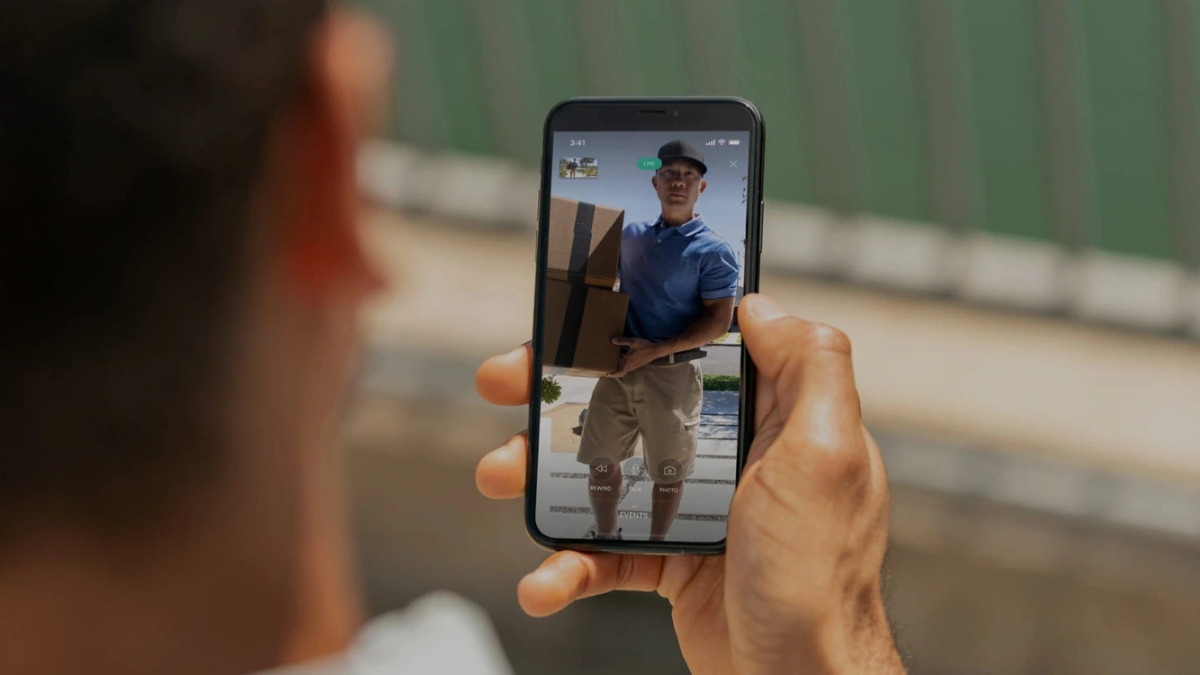
Security cameras are useful when they capture the right event. But motion-triggered clips do not always provide the full story. Vivint Playback DVR addresses that limitation by adding continuous recording to compatible Vivint cameras.
Instead of saving only detected events, Playback creates a 24/7 video timeline covering up to 10 days. It also uses built-in camera storage rather than relying on a traditional central DVR.
How Does Vivint Playback DVR Work?
Playback DVR continuously records video from compatible outdoor, indoor, and doorbell cameras.
The current service supports up to 12 cameras, giving homeowners a broader view of activity around the property. Footage remains available for up to 10 days, providing context before and after individual security events.
This can be particularly useful for investigating package theft, vehicle incidents, property damage, or unexplained nighttime activity.
Is It a Traditional DVR?
Despite the name, current Vivint Playback DVR does not depend on a conventional central recording box.
Compatible current-generation cameras include 64GB of built-in SD card storage. Video is stored directly on individual cameras, creating a distributed local-storage system.
This is important when researching Vivint online. Older information may mention Vivint Smart Drive, smaller camera limits, or different storage periods. Those specifications relate to previous-generation systems rather than the current Playback implementation.
Which Vivint Cameras Support Playback?
Current compatible models include:
- Vivint Outdoor Camera Pro 3
- Vivint Doorbell Camera Pro 2
- Vivint Indoor Camera Pro
Owners of older Vivint equipment should confirm compatibility before adding Playback because previous-generation cameras may operate differently.
Recording Can Continue During Wi-Fi Outages
Local camera storage provides another useful advantage.
Compatible cameras can continue recording to their built-in storage during temporary Wi-Fi outages. That reduces the chance of immediately losing footage simply because the home’s wireless connection goes down.
However, this does not make Playback completely offline. Remote viewing, notifications, and other connected features still depend on network availability.
Event Markers Make Footage Easier to Find
Continuous recording creates an obvious problem: finding one important moment among hours or days of footage.
Vivint addresses this with event markers. When qualifying activity is detected, the system places a marker on the recording timeline. Users can jump to those moments instead of manually searching through hours of video.
Playback also works alongside Smart Clips. These provide convenient recordings of detected events, while Playback lets you investigate what happened before and afterward. Clips can also be downloaded and shared when necessary.
Playback Through the Vivint App
Recorded footage is accessible through the Vivint app.
Users can select compatible cameras and remotely review their recording history from supported mobile devices. The combination of local recording and app-based access makes Playback easier to manage than a traditional DVR requiring direct physical access.
Actual playback performance can still depend on your home network, internet connection, camera connectivity, and mobile device.
Sound Detection Adds Extra Value Indoors
Playback subscribers using the Vivint Indoor Camera Pro gain access to Sound Detection.
The feature listens for sound patterns associated with smoke and carbon monoxide alarms. When the camera recognizes a qualifying alarm sound, the system can notify the homeowner.
It does not replace dedicated smoke or carbon monoxide detectors. Instead, it provides another notification layer when an existing alarm activates.
Playback subscribers also receive access to Premium Chimes for compatible doorbells.
Playback DVR vs. Event Recording
The biggest difference comes down to context.
Standard event recording captures shorter clips when qualifying activity is detected. Playback DVR continuously records the surrounding timeline.
That means an event clip might show someone approaching your vehicle, while continuous footage could reveal where they came from, how long they were present, and what happened afterward.
What Are the Limitations?
Playback is most valuable within the Vivint ecosystem, but that also creates its main drawbacks.
It requires compatible Vivint cameras, provides only up to 10 days of continuous history, and is an additional service. Remote access still depends on connectivity, while older cameras may have different capabilities.
The DVR terminology can also cause confusion because footage is stored on individual cameras rather than a central DVR.
Is Vivint Playback DVR Worth It?
Vivint Playback DVR makes the strongest case for households already using multiple compatible Vivint cameras.
Its biggest advantage is straightforward: you get up to 10 days of continuous 24/7 footage across as many as 12 cameras, rather than relying entirely on isolated event clips.
Built-in storage, event markers, Smart Clips, app access, and continued local recording during temporary Wi-Fi interruptions make the system practical for investigating incidents.
If occasional motion clips satisfy your security needs, Playback may be unnecessary. But if you regularly want to know what happened before and after an alert, continuous recording provides the missing context that event-only surveillance cannot always deliver.
Leave a Reply