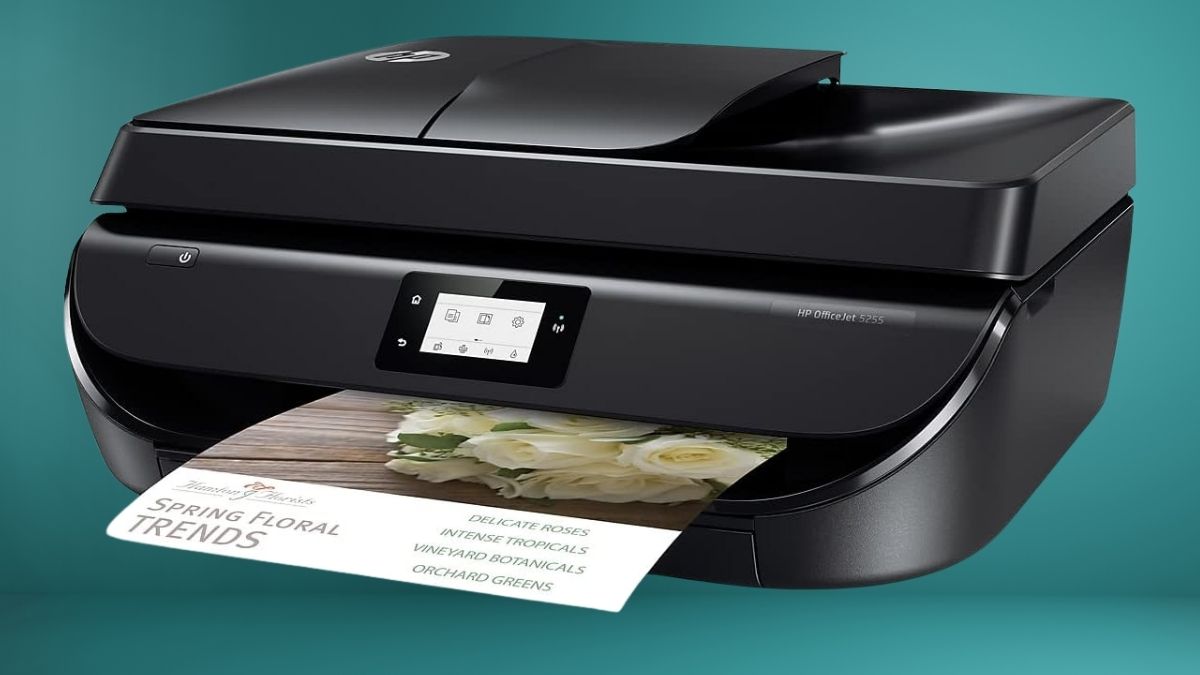
If you rely on a printer for work, school, or household tasks, you need something dependable without unnecessary complexity.
The HP OfficeJet 5255 Wireless All-in-One Printer is designed for users who want printing, scanning, copying, and faxing in one compact device. Rather than targeting heavy-duty business environments, this model focuses on flexibility, ease of use, and smart connectivity for everyday home office needs.
From a practical standpoint, this printer aims to simplify your workflow. You don’t need separate machines for scanning or faxing, and you don’t need advanced technical knowledge to get started. That balance between capability and simplicity is where the OfficeJet 5255 finds its audience.
Design and Everyday Usability
The first thing you’ll notice is its compact footprint. It fits comfortably on most desks without overwhelming your space, which is especially important if you work in a shared room or small office. The control panel uses a simple touch interface that makes navigating print, scan, and copy functions intuitive, even if you’re not particularly tech-savvy.
Paper loading and cartridge replacement are straightforward, reducing frustration during daily use. While the build is primarily plastic, it feels sturdy enough for regular home office activity and occasional family use.
Print Quality and Performance
In real-world use, the OfficeJet 5255 delivers consistent results rather than raw speed. You can expect clear, sharp text documents suitable for reports, invoices, and schoolwork. Color printing is vibrant and well-balanced, making it suitable for presentations and light photo printing.
Print speeds are reasonable for an inkjet printer in this class. While it won’t compete with high-end laser printers, it keeps up well with everyday demands. Automatic two-sided printing is a valuable feature that saves paper and gives documents a more professional finish.
That said, if you frequently print large batches of documents, you may notice slower output compared to office-grade machines. For most home users, this trade-off is acceptable.
Wireless and Smart Connectivity
One of the strongest aspects of the HP OfficeJet 5255 is its wireless capability. You can print from laptops, smartphones, and tablets without complicated setup processes. The HP Smart app allows you to manage print jobs, scan documents, and monitor ink levels directly from your mobile device.
The printer also supports voice-activated printing through compatible smart assistants, which can be convenient when multitasking. This integration fits well into a connected home environment, especially if you already use smart devices elsewhere.
A potential drawback is that, like many wireless printers, connectivity can occasionally be inconsistent in homes with crowded Wi-Fi networks. Positioning the printer closer to your router usually improves stability.
Scanning, Copying, and Faxing Capabilities
The OfficeJet 5255 includes both a flatbed scanner and an automatic document feeder, making it easier to handle multi-page documents. This is especially useful for administrative tasks, school paperwork, or small business documentation.
Practical copy features include:
- ID card copying for official documents
- Light and dark adjustments for better clarity
- Automatic resizing to fit different paper sizes
Faxing may feel outdated to some users, but it remains essential in certain industries. Having it built in means you don’t need additional equipment.
Ink System and Ongoing Costs
The printer uses a two-cartridge system with one black and one tri-color cartridge. This keeps maintenance simple but can increase costs over time, especially if one color runs out faster than the others.
To address this, HP offers its Instant Ink subscription service. Instead of paying for cartridges individually, you pay based on the number of pages you print each month. For moderate users, this can significantly reduce overall printing costs and eliminate last-minute ink shortages.
Different users view this system differently:
- Light users appreciate the low upfront cost and convenience.
- High-volume users may find long-term costs higher than printers with individual ink tanks.
Real User Perspectives
Many users praise the OfficeJet 5255 for its ease of setup and reliable everyday performance. Wireless printing, document scanning with the automatic feeder, and consistent print quality are commonly highlighted benefits.
Criticisms tend to focus on:
- Ink costs without a subscription
- Moderate print speeds
- Occasional Wi-Fi connection issues
These limitations don’t make the printer unsuitable, but they do define who it’s best for.
Is the HP OfficeJet 5255 Right for You
The HP OfficeJet 5255 is a strong choice if you print moderately, value wireless convenience, and want an all-in-one device without a steep learning curve. It works best for home offices, students, and small households that need flexibility more than high-volume output.
If your printing needs are heavy and constant, you may want to explore alternatives with lower per-page costs. However, for everyday home office use, the OfficeJet 5255 strikes a practical balance between features, performance, and price.
To further enhance your connected workspace, explore more smart devices and thoughtful gift ideas in the Amazon Smart Home section and build a setup that truly supports how you work and live.
Leave a Reply