Your home internet is doing more work than ever before. You’re streaming movies, attending video meetings, gaming online, and running smart home devices—all often at the same time.
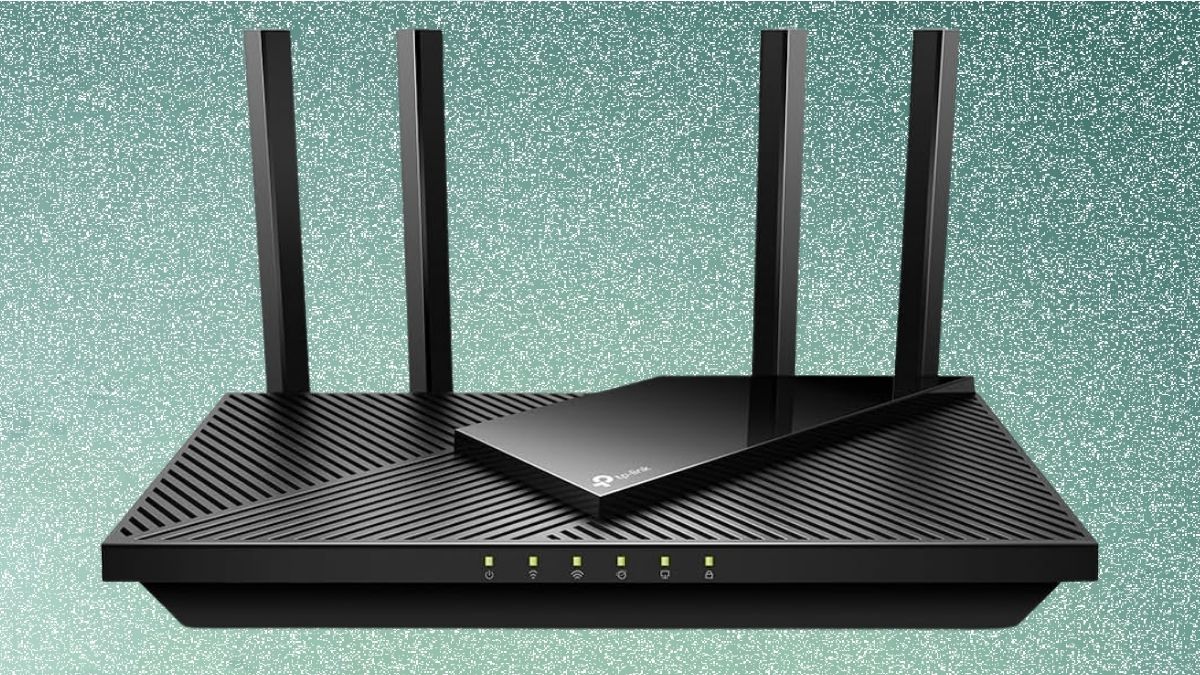
As the number of connected devices grows, an older router can quickly become a bottleneck. The TP-Link Archer AX21 is designed to address this challenge by offering Wi-Fi 6 performance at a budget-friendly price point.
Before diving into the details, here’s a quick snapshot of what this router brings to the table.
- Wi-Fi 6 (802.11ax) technology for improved efficiency
- AX1800 dual-band speeds for balanced performance
- Designed for homes with multiple connected devices
- Strong security features without complex setup
- Expandable coverage through compatible mesh devices
This combination makes the Archer AX21 appealing if you want a noticeable upgrade without paying for premium features you may never use.
What Wi-Fi 6 Means for Your Home Network
Wi-Fi 6 isn’t just about faster speeds—it’s about handling congestion better. With the Archer AX21, your devices communicate more efficiently, reducing slowdowns during busy periods. When your phone, laptop, smart TV, and smart home gadgets are all active, the router manages traffic more intelligently than older Wi-Fi 5 models.
Technologies like OFDMA and MU-MIMO allow multiple devices to send and receive data at the same time, instead of waiting their turn. Beamforming further improves reliability by directing signal strength toward your devices rather than broadcasting it evenly in all directions.
Design and Connectivity: Simple but Practical
The Archer AX21 follows a clean, no-frills design that fits easily into most home setups. Four external antennas help improve signal coverage, especially across multiple rooms or floors.
You’ll find enough physical connectivity for most households, including gigabit Ethernet ports for wired devices like desktop PCs, gaming consoles, or smart TVs. While it doesn’t include multi-gigabit ports or advanced hardware found in higher-end routers, this setup is more than adequate for typical broadband connections.
Real-World Performance You Can Expect
In everyday use, the Archer AX21 focuses on consistency rather than chasing extreme speed numbers. When you’re close to the router, performance is fast and responsive for streaming, gaming, and large downloads. As you move farther away, speeds gradually decrease but remain stable for browsing, video calls, and smart home control.
The dual-band approach works well in practice. Bandwidth-heavy tasks benefit from the faster 5GHz band, while the 2.4GHz band maintains reliable connections for smart devices spread throughout your home.
Managing Multiple Devices Without Frustration
If your household includes several people and dozens of devices, the Archer AX21 performs reliably within its intended scope. You can stream on multiple TVs, browse on phones, and keep smart devices connected without constant interruptions. Performance remains smooth until many devices demand high bandwidth at the same time.
For most families, roommates, or remote workers, this level of device handling strikes a comfortable balance between cost and capability.
Gaming, Streaming, and Video Calls
Latency-sensitive activities are handled competently. Online gaming feels responsive, video calls stay clear, and streaming remains smooth even during peak usage. While serious competitive gamers may prefer more advanced routers, you’ll likely find this model more than sufficient for casual and moderate gaming sessions.
Security Features That Protect Your Network
Security is an area where the Archer AX21 performs especially well for its class. You benefit from WPA3 encryption, which provides stronger protection against unauthorized access. Automatic firmware updates help keep your router protected against emerging threats.
Additional controls like guest networks, parental controls, and basic Quality of Service settings allow you to tailor the network to your household’s needs without overwhelming complexity.
Setup Experience and Daily Management
You don’t need technical expertise to get started. The TP-Link Tether app guides you through setup step by step, making the process quick and painless. Once installed, you can manage connected devices, change settings, and monitor your network directly from your phone or through a web interface.
Long term, the router requires minimal maintenance, making it ideal if you want a “set it and forget it” experience.
Expansion, Limitations, and Future Considerations
The Archer AX21 supports mesh expansion through compatible TP-Link devices, giving you room to grow if coverage becomes an issue. That said, it’s important to understand its limitations. Very large homes, ultra-fast internet plans, or future bandwidth-heavy applications may eventually push this router beyond its comfort zone.
However, for the majority of households, it offers a practical lifespan of several years with dependable performance.
Is the TP-Link Archer AX21 Right for You
If you’re looking for a reliable, affordable Wi-Fi 6 router that improves stability, security, and multi-device performance, the TP-Link Archer AX21 is a strong contender. It’s especially well-suited for apartments and medium-sized homes where everyday internet tasks dominate.
The router also pairs well with Amazon Smart Home devices such as smart speakers, plugs, and security cameras. If you’re shopping for upgrades or gifts, browsing Amazon Smart Home collections can help you discover more ideas to enhance your connected home experience.
Leave a Reply